

Website Development Conversion
Why Your Website Does Not Convert: 12 Reasons With Numbers and a 7-Day Fix Checklist
Traffic but no leads: we break down 12 reasons behind low website conversion — speed, first screen, trust, forms, mobile. With conversion benchmarks and a 7-day action plan you can run without a redesign.
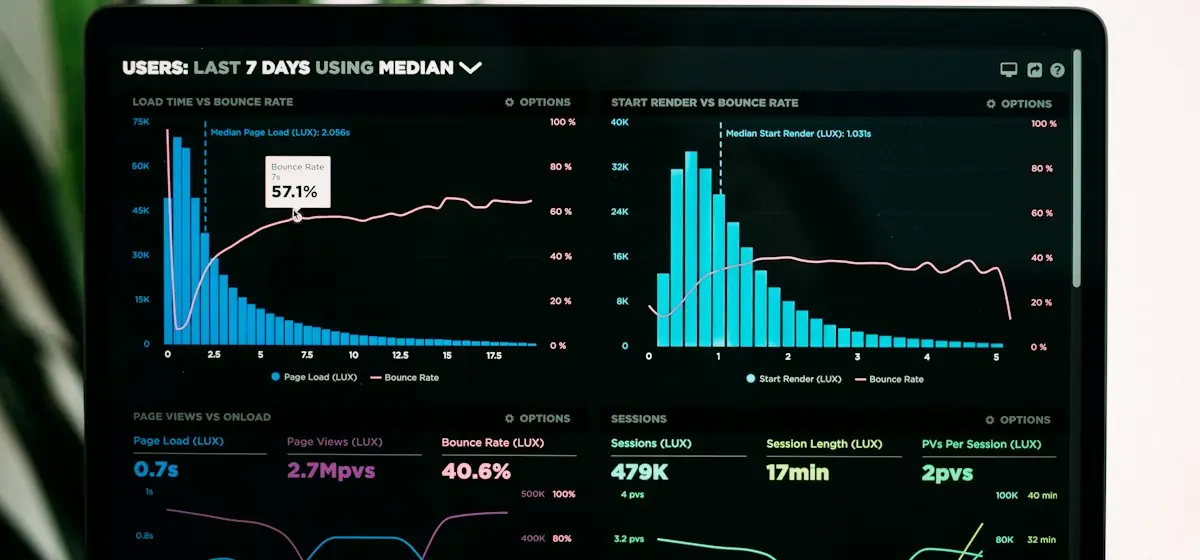
Short answer: a website fails to sell for one of three reasons — the traffic is not qualified, it loads too slowly (every extra second costs up to 20% of leads), or it does not answer the visitor’s objections in the first 5 seconds. Below is a diagnostic framework, 12 specific reasons with benchmarks, and a 7-day plan you can execute without a redesign.
First, the numbers: what conversion is normal
Before fixing anything, capture a baseline: visits → leads/calls/“call now” clicks over the last 30 days. Benchmarks by page type:
| Page type | Typical conversion | Good conversion | What counts as a lead |
|---|---|---|---|
| Landing page with paid traffic | 2–4% | 6–10% | form, tap-to-call, chat |
| Corporate homepage | 0.8–1.5% | 3%+ | form, call, quote request |
| Product page in a store | 1–3% | 5–8% | add to cart |
| Checkout | 20–40% reach payment | 55%+ | paid order |
| Blog article | 0.3–0.8% | 2%+ | signup, click into a service |
Step 1. A 15-minute diagnosis: three questions
- Who is arriving? In GA4 check source → medium, and “Queries” in Search Console. If 800 of 1,000 visits are random social clicks or off-intent keywords (“free”, “download”, the wrong city), a 0.3% conversion isn’t a broken site — it’s junk in the funnel.
- What happens on the site? A heat map (Clarity is free) over 300 sessions shows whether people scroll to the form, click non-clickable elements, and where they drop. If 70% close on the first screen, the problem is the first screen, not the traffic.
- How much is actually visible and measurable? If the form doesn’t fire an analytics event and the phone number isn’t tappable on mobile, you’re not losing leads — you’re not seeing them. Start with cross-channel analytics: goals, UTM, call tracking.
Reason 1. The site takes longer than 3 seconds to load
Speed is the one conversion factor you can measure precisely and fix fast. Don’t test “internet speed” — test Core Web Vitals: LCP (main element), INP (button and menu responsiveness), CLS (jumping layout).
Reason 2. The first screen answers none of the three questions
In 5 seconds a visitor must understand: what you sell → for whom → what to do next. If instead they read “a young dynamic team”, they leave.
- The headline speaks the customer’s search language: not “digital solutions”, but “Animated websites, done-for-you, from $1,100 in 6 weeks”.
- One primary CTA per screen. Five buttons “About / Services / Blog / Offers / Contact” = zero leads.
- Specifics over abstractions: numbers, timelines, prices, client logos, cases with results.
Reason 3. There are promises, not proof
Users don’t trust website copy — they trust numbers, faces and facts that can’t be faked. A trust block checklist:
- Cases with a measurable result (“+180% conversion in 4 months”, not “a modern store”).
- A price or “from…” range right on the site — hiding it adds 30–40% “dead” enquiries that ask for the price anyway.
- Real contacts: address, phone, messengers, socials, company details.
- Reviews with photos/video and names, not “John, City”.
- Guarantees locked in the contract (for example, an SEO baseline and 90 days of monitoring).
Reason 4. The form is longer than the deal
Every extra field lowers conversion. Rule: ask only what the first step needs.
| What you ask | The real cost |
|---|---|
| Phone, name, email, company, budget, comment, date | 30–45% of users abandon the form |
| Phone only (or phone + name) | maximum lead volume, lower quality |
| Phone + one qualifying button (“what are you interested in”) | balance of volume and quality |
Then response speed: a lead handled within 5 minutes converts into a deal many times better than the same lead answered “tomorrow morning”. If managers read email once a day, the problem isn’t the website.
Reason 5. Mobile as an afterthought
55–70% of services and e-commerce traffic is smartphones. Typical mobile lead-blockers:
- tiny text that needs zooming (Google penalises this);
- buttons under 44 px placed edge-to-edge — mis-taps;
- no tap-to-call number and no WhatsApp/Telegram button;
- a full-screen pop-up banner — Google demotes sites with intrusive interstitials;
- a checkout without autofill and without the right keyboard types (tel, email, numeric).
Reasons 6–12. A quick “why it doesn’t sell” checklist
| # | Symptom | How to check | What to do |
|---|---|---|---|
| 6 | Unclear how you differ | compare your first screen with 3 competitors | one measurable differentiator in the headline |
| 7 | No path for a “cold” visitor | is there a route: case → service → lead | add “how we work”, “pricing”, FAQ blocks |
| 8 | Catalogue/services with no price or CTA | open a product card — what’s next? | a price or “from”, a button on every block |
| 9 | Emails land in spam | test a lead to 3 mail providers | SPF/DKIM/DMARC, your own mail domain |
| 10 | A “dead” site: content from 2021 | dates, prices, offers | an editable block (headless CMS) — edits without a developer |
| 11 | No analytics or goals | does GA4 record form submits? | events, goals, call tracking, a dashboard |
| 12 | Search and filters don’t work | try to find your own product/service | search < 300 ms, filters without reload |
What the field shows: three cases with numbers
- Solomia Beauty — a cosmetics store: rebuilt the catalogue and a 2-step checkout, added live stock sync and a CRM customer card → +180% conversion in 4 months, 3× faster loads, zero lost leads.
- Verkhava — a hotel and restaurant: phone bookings → 24/7 online table and room booking on the site → 2.5× bookings per season and 18% less in aggregator fees.
- Wrenhaven Capital — an investment firm: a new site with Lighthouse 100/100 and an investor dashboard → investor enquiries doubled.
The common thread in all three: leads stopped leaking, and the path to the target action shrank to 2–3 steps.
A 7-day fix checklist
Bottom line
“Website doesn’t sell” is a symptom, not a diagnosis. The diagnosis is always specific: load seconds, the meaning of the first 5 seconds, form length and manager response time. Measure, fix three things, measure again — and you’ll be surprised that leads can come from the very same traffic.
Order a conversion audit → — within 24 hours we’ll show exactly where leads leak and what to fix first. Worth reading: how site speed affects revenue and animations that lift conversion.
from $1,100
Need the same solution for your business?
Bespoke design and lively animations on Astro, React, Vue and Angular: corporate sites, landing pages and promo sites impossible to mistake for templates.
- Custom design from scratch
- GSAP/ScrollTrigger animations
- 90+ Lighthouse speed
Get a free website audit in 48 hours
Speed, SEO, conversion — a 12-page report with a prioritized fix plan. No obligation, no spam: we show what to improve even if you never hire us.
- Core Web Vitals & speed
- SEO structure & content
- Conversion paths & UX